<symbol />
Overview
The <symbol /> element allows you to create custom schematic representations for your chips. Instead of using the default schematic box with pins, you can draw custom shapes using primitive components like <schematicline />, <schematiccircle />, <schematicrect />, and <schematicarc />.
Most components let you customize their schematic appearance through the symbol prop, where you can combine <port /> elements with drawing primitives to define connection points.
Use <symbol /> when you want to create a custom schematic appearance for your component that differs from the standard rectangular box representation.
Basic Symbol Example
Here's an example creating an NPN transistor symbol using primitive components:
export default () => (
<board width="10mm" height="10mm">
  <chip
    name="Q1"
    symbol={
      <symbol>
        {/* Outer circle */}
        <schematiccircle center={{ x: 0.1, y: 0 }} radius={0.55} isFilled={false} strokeWidth={0.05} />
        {/* Base vertical bar */}
        <schematicline x1={-0.1} y1={-0.5} x2={-0.1} y2={0.5} strokeWidth={0.05} />
        {/* Base input line */}
        <schematicline x1={-0.7} y1={0} x2={-0.1} y2={0} strokeWidth={0.05} />
        {/* Collector line (diagonal then vertical) */}
        <schematicline x1={-0.1} y1={0.2} x2={0.35} y2={0.5} strokeWidth={0.05} />
        <schematicline x1={0.35} y1={0.5} x2={0.35} y2={1} strokeWidth={0.05} />
        {/* Emitter line (diagonal then vertical) */}
        <schematicline x1={-0.1} y1={-0.2} x2={0.35} y2={-0.5} strokeWidth={0.05} />
        <schematicline x1={0.35} y1={-0.5} x2={0.35} y2={-1} strokeWidth={0.05} />
        {/* Emitter arrow (V shape pointing outward along emitter line) */}
        <schematicpath
          strokeWidth={0.05}
          points={[
            { x: 0.16, y: -0.25},
            { x: 0.2, y: -0.40 },
            { x: 0.06, y: -0.44 },
          ]}
        />
        {/* Ports */}
        <port name="B" direction="left" schX={-0.7} schY={0} />
        <port name="C" direction="up" schX={0.35} schY={1} />
        <port name="E" direction="down" schX={0.35} schY={-1} />
      </symbol>
    }
  />
</board>
)
Symbols with Connections
You can create multiple chips with custom symbols and connect them via the connections prop. Here's a buffer driving an inverter:
export default () => (
<board width="10mm" height="10mm">
  {/* Buffer (triangle) */}
  <chip
    schX={0}
    schY={0}
    name="U1"
    symbol={
      <symbol>
        <schematicline x1={-0.5} y1={-0.6} x2={-0.5} y2={0.6} strokeWidth={0.05} />
        <schematicline x1={-0.5} y1={0.6} x2={0.5} y2={0} strokeWidth={0.05} />
        <schematicline x1={0.5} y1={0} x2={-0.5} y2={-0.6} strokeWidth={0.05} />
        {/* Input line on left */}
        <schematicline x1={-1} y1={0} x2={-0.5} y2={0} strokeWidth={0.05} />
        {/* Output line on right */}
        <schematicline x1={0.5} y1={0} x2={1} y2={0} strokeWidth={0.05} />
        <port name="pin1" direction="right" schX={1} schY={0} />
      </symbol>
    }
  />
  {/* Inverter (triangle with bubble) */}
  <chip
    schX={4}
    schY={0}
    name="U2"
    symbol={
      <symbol>
        <schematicline x1={-0.5} y1={-0.6} x2={-0.5} y2={0.6} strokeWidth={0.05} />
        <schematicline x1={-0.5} y1={0.6} x2={0.5} y2={0} strokeWidth={0.05} />
        <schematicline x1={0.5} y1={0} x2={-0.5} y2={-0.6} strokeWidth={0.05} />
        <schematiccircle center={{ x: 0.65, y: 0 }} radius={0.15} strokeWidth={0.05} isFilled={false} />
        {/* Input line on left */}
        <schematicline x1={-1} y1={0} x2={-0.5} y2={0} strokeWidth={0.05} />
        {/* Output line on right (after bubble) */}
        <schematicline x1={0.8} y1={0} x2={1.3} y2={0} strokeWidth={0.05} />
        <port name="pin1" direction="left" schX={3} schY={0} />
      </symbol>
    }
    connections={{
      pin1: ".U1 > .pin1",
    }}
  />
</board>
)
Available Schematic Drawing Components
Within a <symbol />, you can use the following primitive components to draw your custom schematic representation:
<schematicrect />- Draw rectangles and boxes<schematiccircle />- Draw circles<schematicline />- Draw straight lines<schematicpath />- Draw connected path segments<schematicarc />- Draw circular arcs
Viewing Symbol Ports
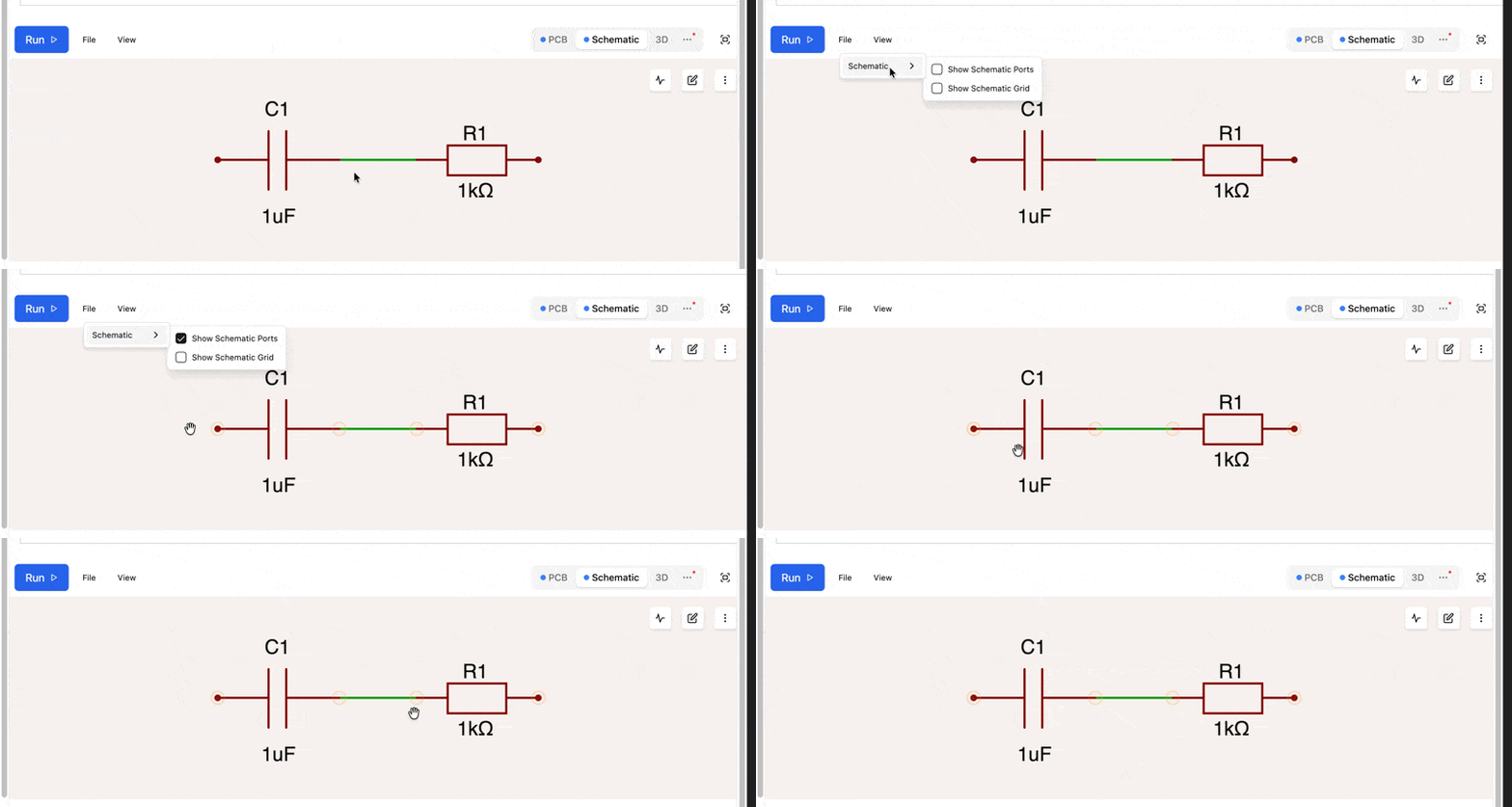
To visualize the port positions on your schematic symbols, go to View > Schematic > Show Schematic Ports in the editor: